Skip to content
Beta · Free forever

Stop prepping.
Start playing.

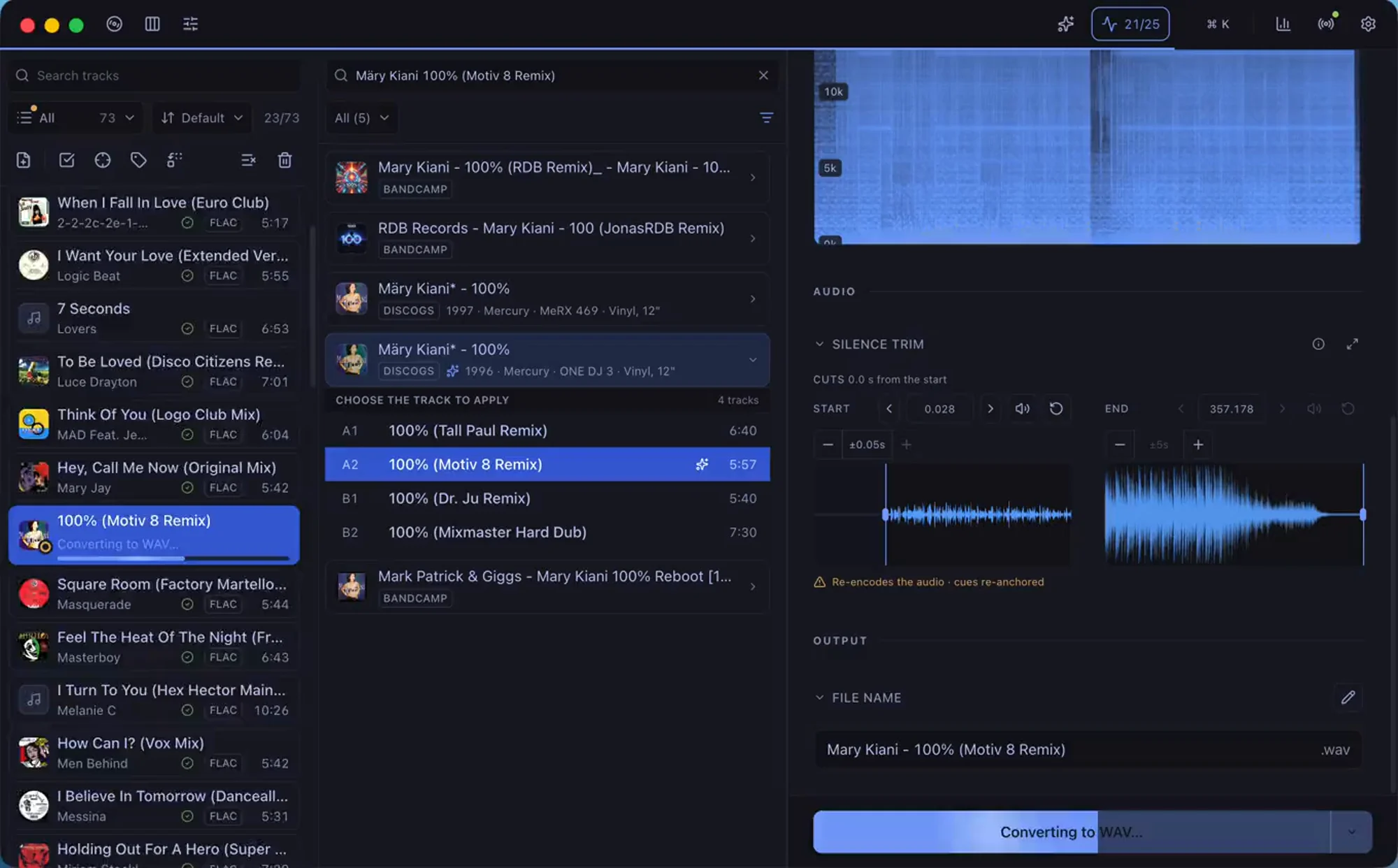
Drop your tracks and Surco fills the metadata from Discogs, converts them to the format you need and organizes them in your Apple Music library.

AIFF WAV FLAC MP3
Surco
Tracks
01Café Del Mar
Energy 52
02Take me into the sky
Dj Vixent
03Silence
Delerium
Metadata● good quality
titleTake me into the sky (Original Remix)
artistDj Vixent
albumTake me into the sky
year2026
genreElectronic
spectrum→ 21.4 kHz

Blink and it's done

From minutes to seconds per track

By hand it's several steps across different tools — convert, tag, fill the gaps, import — and tedious once you repeat it track after track. Surco does it all with one button.

By hand~3–4 min
  • ~60 sConvert to AIFFanother app
  • ~60 sWrite the metadatatag app
  • ~45 sAdd grouping and tags the tagger leaves outby hand
  • ~30 sImport to Apple MusicMusic

jumping between tools · repeating on every track

With Surco~1–2 s
Convert + tag + Apple Music
  • · lossless AIFF, WAV or FLAC, or MP3
  • · Discogs metadata
  • · embedded cover art
  • · grouping and tags
  • · spectrum analysis
  • · to Apple Music

one click · one track ready

* Manual flow shown as an example; steps and tools vary from person to person. Estimated times.

~0×

faster than by hand*

1–2 s

per track

1

shot, the whole flow

How it works

Three steps and you're playing

1

Drop your tracks

Drag your WAV, FLAC, AIFF or MP3. Surco reads the tags and cover art on the fly.

2

Pick the release

Search Discogs and apply artist, album, year, genre and cover art in one click.

3

Export and you're done

Convert to AIFF, WAV, FLAC or MP3, check the spectrum and send the track to Apple Music.

Anti-fake analysis

The spectrum doesn't lie

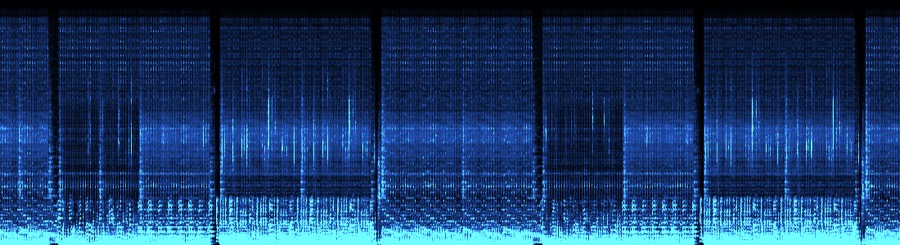
Some "lossless" files are just low-quality MP3s dressed up to look hi-fi — and they sound worse on a big system. Surco spots the missing highs and flags the track before it reaches your set.

original.flac● good quality
20 kHz15 kHz10 kHz5 kHz

full sound up to ~22 kHz — nothing missing. The real thing.

descarga_320.aiff● suspicious
20 kHz15 kHz10 kHz5 kHz
drop-off ~16 kHz

everything cut off at ~16 kHz — the highs are gone. A fake.

Features

The whole flow, in one app

import

Import and listen

Drop any audio — even whole folders. Surco reads the tags and cover they carry, and previews any track before converting.

discogs

Tag from Discogs

Search the release and Surco fills artist, album, year, genre, label, catalog and cover — plus BPM, key, remixer and grouping — in one click.

albums

Match a whole record

Select a full release and Surco maps each file to the Discogs tracklist by length — even identically-named rips — then tags them all at once.

cleanup

Clean a messy batch

Fill tags from filenames, find-and-replace across every tag (text or regex), and bulk-edit the fields a selection shares.

convert

Convert to any format

AIFF, WAV, FLAC or MP3, any to any. Already in that format? Copied untouched, instantly — one track or the whole crate.

normalize

Even out the loudness

Optionally match every track to one loudness or peak — streaming, club or custom. Off by default; keeps Traktor cues on MP3 and AIFF.

traktor

Cues and ratings, intact

Re-export to the same format and your cue points and beatgrid stay untouched — plus the star ratings you set, written for Traktor and foobar to read.

quality

No fakes, no duplicates

Sweep the whole crate to catch MP3s faking lossless, filter the suspects, and get a heads-up when a track's already in Apple Music.

analyze

Read every level

A colour-coded readout per track — LUFS, true peak, dynamics, balance and noise — plus the BPM and key detected from the audio itself, one click from applied.

artwork

Cover art, sorted

Pull cover art from Discogs or drop your own onto one track or a whole selection. Surco squares, resizes and embeds it.

library

Hands off to your decks

Send tracks straight to Apple Music —and keep their copies in sync as you edit—, or export the whole crate as a rekordbox or Traktor collection.

naming

Name and sort files

Name files with {artist} - {title} templates into {albumArtist}/{album} subfolders, and show only the fields you use.

Keyboard first

Fly without touching the mouse

A command palette and shortcuts for the whole flow — add, tag, analyze and process track after track without leaving the keyboard, and remap any of them.

Add filesO
Process track
Process all
Play / pauseSpace
Navigate tracksJK
Search Discogs/

Pricing

Free, forever

Surco is free and complete — no account, no subscription, no limits. If it saves you hours, you can support its development.

Install

Download and install

Download it for your system or install it with Homebrew. Either way, it updates itself.

Or with Homebrew

$ brew install --cask vigosan/surco/surco

macOS only

lossless AIFFlossless FLAChigh-quality MP3ffmpeg includedID3v2.3DiscogsApple Silicon
SurcoSurco

Convert, tag and organize your DJ tracks — ready to play in seconds.

Available · macOS · Windows

Surco is in beta. No account, no subscription.

Product

Formats

  • lossless AIFF
  • lossless WAV
  • lossless FLAC
  • high-quality MP3
  • Discogs tags
  • to Apple Music
© 2026 Surco · getsurco.appyour music, in order