
Convert FLAC to AIFF without losing a tag.
Drop a folder of FLACs and get AIFFs ready for rekordbox, Serato or older CDJs. The audio stays bit-for-bit lossless, and the tags, artwork and Traktor cue points come across with it.
macOS, Windows and Linux. No account, no subscription.
Pray (W.I.P. In The Church Mix)
16-bit / 44.1 kHz · 7:08
↓ lossless, same bit depth and sample rate
Pray (W.I.P. In The Church Mix)
16-bit / 44.1 kHz · 7:08
- Artist, title, album and every other tag
- Artwork
- Traktor cues and beatgrid
- Bit depth and sample rate
What comes across
Everything in the FLAC ends up in the AIFF
Online converters hand you the audio and drop the rest. Surco rewrites every tag in the form AIFF expects.
| In the FLAC | In the AIFF | How |
|---|---|---|
| Audio✓ Bit-identical | ✓ Bit-identical | Both formats are lossless, so the samples are the same. Bit depth and sample rate are kept. |
| Tags✓ Kept | ✓ Kept | Vorbis comments become ID3 tags, the ones rekordbox, Serato and Traktor read in an AIFF. |
| Artwork✓ Kept | ✓ Kept | The front cover is embedded in the AIFF. |
| Traktor cues✓ Kept | ✓ Kept | Surco reads the cue tree Traktor stores in the FLAC and writes it back where Traktor looks for it in an AIFF. |
| 24-bit padded audio✓ Saved as 16-bit | ✓ Saved as 16-bit | A “24-bit” FLAC that really holds 16 bits is saved as true 16-bit, with no loss. |
Why AIFF
Why DJs convert FLAC to AIFF
Older players skip FLAC
The CDJ-2000NXS and older Pioneer players don't read FLAC from USB. AIFF plays on every CDJ and in every DJ app.
Artwork that shows up
AIFF carries ID3 tags, so the cover and the comments show in rekordbox, Serato and Traktor alike.
Same sound, more room
AIFF is uncompressed, so the files are bigger than the FLACs. The sound doesn't change at all.
How to
FLAC to AIFF in three steps
- 1
Drop the files
Drag a FLAC, a selection or a whole folder onto Surco.
- 2
Pick AIFF
Choose AIFF in the format menu next to the convert button. Bit depth and sample rate follow the source by default.
- 3
Convert
The AIFFs go to Music/Surco, or straight into Apple Music or Engine DJ. The FLACs are left as they are.
Before you convert
Is that FLAC really lossless?
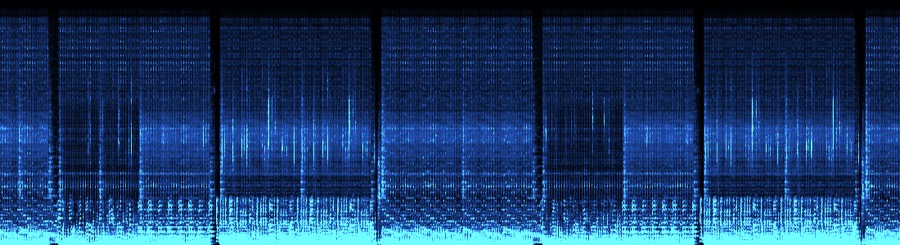
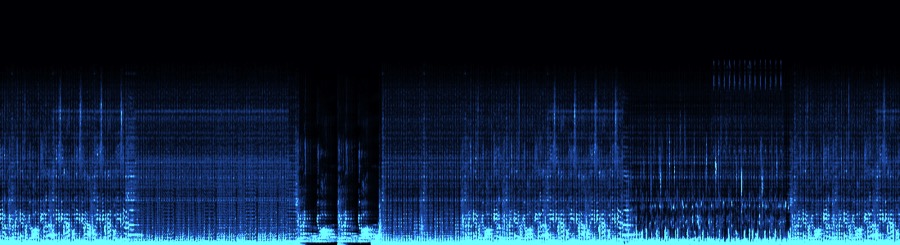
An MP3 converted to FLAC weighs the same and looks the same in a file list. The spectrum gives it away: the sound stops at a hard wall. Surco checks every track before you convert it.
FAQ
FLAC to AIFF questions
Does converting FLAC to AIFF lose quality?
No. Both are lossless, so the AIFF holds exactly the same samples as the FLAC. What changes is the container: AIFF stores the audio uncompressed.
Why are AIFF files bigger than FLAC?
FLAC compresses the audio without losing anything, the way a zip does. AIFF doesn't compress it, so at 16-bit/44.1 kHz it takes about 10 MB per minute of stereo audio.
Can I convert a whole folder at once?
Yes. Drop the folder and convert everything in one go.
Will my cue points survive?
Traktor's do: Surco moves the cues and the beatgrid to where Traktor reads them in an AIFF. rekordbox keeps its cues in its own library; load the AIFF with “Replace” and the same rekordbox row points at the new file, cues and playlists included.
Does it work on Windows?
Yes. Surco runs on macOS (Apple Silicon and Intel), Windows and Linux.
Convert your FLACs to AIFF
Surco also tags from Discogs, Bandcamp and Deezer and files everything into your library.